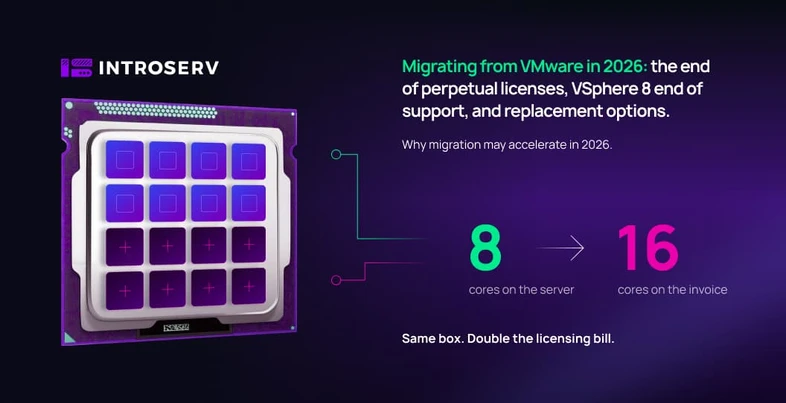
VMware perpetual licenses went off sale in December 2023, and in 2026 that decision has caught up with everyone who renewed support at the last moment: three-year SnS contracts are expiring, vSphere 8 is in its final year of general support, and version 9 exists only as a subscription. The familiar editions are gone from the price list, replaced by three bundles with per-core licensing and a growing layer of paid add-ons. For some, the new model prices out evenly; for others, it means paying for cores that physically don't exist – and the difference between those outcomes comes down to the shape of your infrastructure, not the size of your company.
VMware end of support: key dates for 2026–2027
On December 11, 2023, VMware by Broadcom officially ended the sale of perpetual licenses and Support and Subscription (SnS) renewals. Existing licenses were not revoked: if you bought one, you keep using it. But renewing support after that date became impossible.
Then contract math kicked in. A large share of customers renewed SnS right before December 11, 2023 – typically for one or three years. One-year contracts expired back in late 2024. Three-year contracts are expiring now, at the end of 2026, and for their holders the question "what next" is no longer theoretical.
The version calendar is moving in parallel:
– vSphere 7.x and vSAN 7.x reached end of general support on October 2, 2025.
– vSphere 8.0 reaches end of general support on October 11, 2027.
– vSphere 9.x functionality is available only inside the subscription bundles – no standalone editions exist for version 9; this is documented in the official vSphere version comparison.
A perpetual license holder on vSphere 7 is already out of support. A vSphere 8 license holder has just over a year to the same point. Upgrading to version 9 on the perpetual model is not possible: the official VCF 9.1 FAQ states directly that customers with perpetual licenses must first move to a subscription to upgrade to version 9.
There is a separate security nuance. In April 2024, Broadcom announced free access to zero-day patches for supported vSphere versions – including for perpetual license holders with expired support. The policy covers critical vulnerabilities rated CVSS 9.0 and above. The key word is "supported": vSphere 7 no longer qualifies after October 2, 2025. And even where the policy applies, it covers critical vulnerabilities only: no driver updates, no support for new hardware, and no technical support.

End of Availability: which VMware products are gone for good
On January 22, 2024, the VMware Cloud Foundation blog published the full End of Availability table – the official list of products withdrawn from sale as standalone items. The document covers every licensing option: perpetual, SnS, SaaS, and all other subscription types, across all editions and metrics.
The table runs to about sixty items, and they fall into two fundamentally different groups.
The first group is products that have a replacement inside the new bundles. vSphere Enterprise Plus became part of VCF and VVF. vCenter Standard is no longer sold separately but is included in the bundles. vSAN is available inside the bundles and as a capacity add-on. Aria Suite (formerly vRealize) became the VCF Operations and VCF Automation components. NSX went into VCF. Site Recovery Manager turned from a product into a paid add-on.
The second group is products with no replacement at all. The official table marks them with an "N," and the list is telling: vSphere ROBO, vSphere Scale Out, vSphere Essentials Kit, vSphere Basic, vSphere Advanced, vSAN ROBO, HCI Kit, VMware Cloud Foundation for ROBO. A separate line item is the free vSphere Hypervisor (free ESXi): its withdrawal is recorded in the same table, with no replacement provided.
What was left without a replacement is, first and foremost, the products that historically served small and branch-office scenarios – the ROBO editions, the Essentials kits, and the free hypervisor for single hosts.
The timeline matters here. In January 2024, the same document still offered an escape hatch for small deployments: subscriptions to vSphere Standard and vSphere Essentials Plus Kit. By 2026 the picture had changed. The current official VMware vSphere Version Comparison document records that vSphere Standard and vSphere Enterprise Plus are available only up to the 8 Update 3 release, while version 9.1 capabilities ship exclusively inside vSphere Foundation 9.1 and Cloud Foundation 9.1. Essentials Plus Kit is not mentioned in the 9.1-era documents at all. The standalone editions formally still exist, but their version path has ended.
VMware subscriptions in 2026: vSphere Foundation, Cloud Foundation, and VCF Edge
The current lineup is set out in the official document VMware Cloud Foundation 9.1 and VMware vSphere Foundation 9.1: Feature Comparison & Upgrade Paths. There are three offerings.
VMware vSphere Foundation (VVF) – the workload platform: vSphere, vSphere Kubernetes Service, VCF Operations, and vSAN with a base amount of capacity. In the document's own wording, VVF includes some VCF capabilities or limited versions of them.
VMware Cloud Foundation (VCF) – the full private cloud stack: vSphere, vSAN, NSX, HCX, vSphere Kubernetes Service, VCF Operations, VCF Automation, and Private AI services. Delivered as a single SKU.
VMware Cloud Foundation Edge (VCF Edge) – a VCF configuration optimized for distributed edge scenarios. At first glance, Edge looks like a fit for small installations, but the official VCF 9.1 FAQ draws the boundaries: deployment is allowed at edge sites only, the licensing minimum is 10 sites within a year of the initial deployment, with a minimum of 8 cores per CPU and a maximum of 256 cores per site. This is a product for a retail chain with dozens of stores or a distributed manufacturing operation – not for a company with a single server room.
The same document also records the status of the former editions: vSphere Standard, vSphere Enterprise Plus, vSphere Enterprise, vSphere for Desktop, and vSphere Scale-Out are listed under Previous Products, with vSphere Foundation or VCF as the recommended path.

VMware Cloud Foundation add-ons: what the subscription doesn't include
Trimming the lineup down to three offerings came with a growing layer of extra services. The official VCF 9.1 FAQ lists the advanced services sold separately: Advanced Cyber Compliance, Advanced Security, Load Balancing, Application Services, Data Services, Network Observability, Business Operations, Identity Security, and additional vSAN capacity. The document's wording leaves no room for doubt: advanced services are purchased separately and are not part of the base VCF offerings.
Avi Load Balancer, vDefend Firewall, and VMware Live Recovery are licensed separately as well. Data Services Manager has also been offered as a separate service since May 5, 2025.
Two examples from the FAQ show how functionality moves between the base and the add-ons. First: compliance reporting and configuration drift detection, previously available in VCF Operations, are deprecated in 9.1 and moved into the paid Advanced Cyber Compliance add-on. Second: disaster recovery orchestration requires a separate purchase of SRM or ACC – the base VCF entitlement includes vSphere replication with an RPO from five minutes and local snapshots, but not the full DR cycle.
For the budget, this means one simple thing: the bundle price on a quote is the cost of entry to the platform, not the total cost of the solution. If your requirements include DR orchestration, compliance reporting, or load balancing, separate line items will be added to the base one.
VMware per-core licensing: the 16-core minimum per CPU with sample calculations
All three bundles are licensed by physical cores. The counting method is described in the official Broadcom KB 313548 article, which also includes ready-made example tables. The rule reads: you must license a minimum of 16 physical cores for each CPU (physical processor) in your ESXi hosts, even if a CPU has fewer cores.
You count the total number of physical cores across all hosts you plan to license, adjusted for the minimum. Two scenarios from the example table in Broadcom's own article show how this plays out in practice.
VMware license math for small servers: how the core overpayment happens
A row from the KB 313548 table: three hosts, each with one 8-core CPU. Physical cores – 24. Cores to license – 48, because each CPU counts as a 16-core CPU. The document's own explanation: although each CPU has 8 cores, the customer must purchase 48, because the minimum subscription capacity is 16 cores per CPU.
You pay for twice as many cores as you own. The neighboring row shows the scenario with 6-core CPUs: 18 physical cores, 48 billed – a ratio of 2.67.
The math for dense servers: when there is no overpayment
Same table, another row: three hosts, each with two 24-core CPUs. Physical cores – 144, cores to license – 144. A 1:1 ratio. The minimum rule always applies, but when every processor has 16 or more physical cores, it matches the actual count or falls below it – and adds nothing to the bill: you license the real number of physical cores across all CPUs.
The second parameter working in favor of dense configurations is the vSAN capacity included. Per KB 313548, every licensed VCF core comes with 1 TiB of raw vSAN capacity; every VVF core with 0.25 TiB. The official table includes an example where a 144-core VCF cluster gets a 144 TiB entitlement and covers its storage needs entirely with no extra payments, and an example where a storage-heavy VVF cluster has to buy a 149 TiB add-on. The denser the cores and the more modest the storage, the closer the bundle gets to a fair price; the fewer the cores and the more the disks, the more visible the extra charges.
The per-core model with a 16-core minimum is neither expensive nor cheap on its own – it is sensitive to the shape of your infrastructure. Modern dual-socket servers with 24–48 cores per processor clear the thresholds with no losses. Small and aging hosts pay for cores they don't have.
VMware for 2–5 servers in 2026: why the subscription is oversized
The most common small scenario: two to five servers, sometimes without a cluster. A file server, an ERP system, mail, a couple of service VMs. Historically, this segment ran on vSphere Essentials, free ESXi, or vSphere Standard with a perpetual license bought once.
By 2026, all of those footholds had disappeared one by one. Free ESXi was withdrawn with no replacement. Essentials Kit was discontinued; Essentials Plus Kit vanished from the 9.1-era documents. vSphere Standard hit the ceiling of version 8 Update 3 – a path with no continuation. VCF Edge requires a minimum of ten sites and is prohibited from deployment outside edge scenarios. For a company with a single server room, what remains is VVF and VCF – licensed from 16 cores per CPU.
Typical hardware in this segment counts out like this under the official method: two servers, each with one 8- or 10-core CPU, no cluster. Physical cores – 16–20; cores to license under the minimum rule – 32. And with VVF, such a customer receives vSphere Kubernetes Service, VCF Operations, and a vSAN entitlement – components that, in a "two machines running a file server and an accounting system" scenario, will most likely never be switched on for the entire subscription term.
Technically, VMware runs on two servers just as reliably as it always did. What changed is not the technology but the unit of sale. The minimum unit became a subscription bundle designed for dense multi-core hosts and full-stack usage. For an infrastructure of two or three low-core servers, that unit ends up bigger than the infrastructure itself: you pay both for cores that don't exist and for functionality that goes unused.
This applies to more than two-or-three-machine setups: infrastructures of five to ten hosts, often not even clustered, are counted under the same rules and fall into the same gap between physical and billed cores if their processors aren't the densest. It is this segment – not corporations with thousands of virtual machines, but companies with two to ten hosts – that faced the biggest relative change in terms. And it is this segment for which the choice between renewal and migration comes down to the simplest math.
Why Broadcom moved VMware to a subscription model
The stated framing of the transition is simplification: the December 11, 2023 announcement is literally titled VMware by Broadcom Dramatically Simplifies Offer Lineup and Licensing Model. Before the deal, the VMware portfolio counted dozens of products, each in several editions and with its own licensing metric: the End of Availability table alone lists about sixty withdrawn items. After – three bundles and an add-on layer. The same announcement notes the VCF subscription list price was cut in half compared with the previous price.
The operational side of the simplification shows in the version 9 products: a single VCF installer, centralized license management through VCF Operations and the License Server, a unified support cycle. Fewer configurations mean a smaller test matrix and faster releases.
The commercial side has been voiced by the company's leadership on earnings calls: the strategy targets VMware's largest customers, and, per Broadcom's statement in late 2025, over 90% of the top 10,000 clients have purchased VCF. A subscription model with fixed minimums makes revenue predictable – and for the customer, it makes the minimum size of the bill predictable, regardless of actual consumption.
The model is built around the full stack, dense hardware, and large installations.
When renewing VMware makes sense: scenarios where the subscription pays off
There are configurations where the new model works in the customer's favor. Dense clusters on modern CPUs with 16 or more cores per socket pass the licensing minimum with no overpayment – the math runs 1:1 per the official table. If the architecture genuinely uses vSAN and NSX on top of that, the bundle replaces three separate licenses from the old model, and the 1 TiB-per-core entitlement in VCF can cover the storage requirement entirely. For distributed networks of ten or more sites, there is VCF Edge with its lowered threshold of 8 cores per CPU. Finally, there are workloads tied to vSphere by the application vendor's certification – for those, the cost of switching platforms includes recertification, and that can outweigh the licensing difference.
The criterion is simple: the closer your infrastructure is to the "dense hosts, full stack, large scale" profile, the more logical a renewal is. The further from it – the more carefully you should run the numbers.
VMware alternatives in 2026: Proxmox VE, XCP-ng, SUSE Virtualization
For infrastructures that don't fit the bundle profile, the market offers virtualization platforms with fundamentally different licensing models. All three listed below are not experimental home-lab projects but mature products with a long track record, a commercial vendor, and enterprise support behind them.
Proxmox VE – a KVM- and LXC-based platform that Austria's Proxmox Server Solutions GmbH has been developing since 2008. The code is open under the AGPLv3 license; the current branch is Proxmox VE 9, based on Debian.
The software itself is completely free: clustering, live migration, high availability, Ceph, ZFS, and the platform's own Proxmox Backup Server are all included in the open version with no feature restrictions or licensing thresholds. The paid subscription is optional and buys two things – access to the enterprise repository with tested, stable updates (instead of the fresher but less road-tested free repository) and vendor support tickets with SLAs. Pricing is per occupied CPU socket: from €120 (Community) to €1100 (Premium) per socket per year. The core count has no effect on the price at all: a 64-core processor costs the same as an 8-core one. For dense hardware, that means the maximum gap versus the per-core model; for low-core hardware, it means the very idea of a "core minimum" – the thing that detaches the bill from the real hardware – disappears.
XCP-ng – a hypervisor built on Xen, a technology that has been running in production since the early 2000s. The project itself has existed since 2018 as an open fork of Citrix XenServer and is developed by the French company Vates; management, backup, and replication run through Xen Orchestra.
The software is free in its entirety, and the subscription does not "unlock" it: all functionality, including backup and replication, is available in the open versions – with Xen Orchestra built from source on your own in that case. The optional Vates VMS subscription buys three things: SLAs and direct access to Vates engineers, a ready-made, maintained Xen Orchestra Appliance instead of a self-built one, and support coverage for every host in the infrastructure. Pricing is per host per year; the entry-level Essential and Essential+ packages have a fixed price for infrastructures of up to three hosts, from €2,000 per year. The approach is the opposite of the bundle model: a virtualization layer with no ecosystem forced on top, for teams that assemble the rest of the stack themselves.
SUSE Virtualization (formerly Harvester) – a hyperconverged platform built on KVM, KubeVirt, and the Longhorn distributed storage, developed by SUSE since 2020. The source code is open under Apache 2.0; the current release, 1.7, shipped in January 2026.
The platform is free and fully functional in its open version – you can deploy and run it without any payments. The optional enterprise subscription buys SUSE 24/7 support, guaranteed update and security-patch cycles, certified hardware support, and premium documentation sections. Pricing is per node; there is no public price list – the cost is quoted on request. It makes sense where container workloads already exist or are planned: virtual machines and containers are managed the same way, including Rancher integration.
None of these platforms replaces vSphere in one click. Moving virtual machines will require disk conversion, guest driver preparation (VirtIO for Windows), rebuilding the backup scheme, and network configuration. But scale cuts both ways: for an infrastructure of two or three hosts with no distributed switches or overlay networks, the amount of that work is limited and easy to forecast.
VMware migration plan: four steps to prepare for the decision
The sequence of steps does not depend on what the final decision turns out to be – renewal or migration. The first four steps are the same.
First – a license inventory. Compile a list of your perpetual licenses with the SnS expiration date for each. The earliest date is your real deadline, not the dates on Broadcom's calendar.
Second – a core inventory. Following the KB 313548 method: the number of CPUs in each host, physical cores per CPU, adjusted for the 16-core minimum. For environments with vCenter, Broadcom provides an official PowerCLI counting script – it also correctly counts raw TiB for vSAN, which cannot be reliably read from the interface. The result is two numbers: physical cores and billed cores. Their ratio immediately shows which scenario you are in.
Third – a version inventory. Hosts on vSphere 7 are already out of general support. For vSphere 8, mark October 11, 2027, and check it against your hardware refresh plan: if the servers are younger than the contract, the question of migrating to another platform and the question of moving to a subscription get decided at the same time.
Fourth – an inventory of the features you actually use. A list of enabled components: is vSAN there, is NSX there, are distributed switches in use, what from Aria/Operations actually gets opened. This is the direct answer to the question of how much of the bundle you would be paying for idle.
From there, the paths diverge. If the math shows a ratio close to 1:1 and the stack is used broadly – request a VVF or VCF quote and compare it with your current spend. If the billed cores are double the physical ones and only the hypervisor is used from the stack – pick a target platform, deploy a pilot on one non-critical host, move two or three virtual machines, verify backup and restore, and measure the actual effort. On a small infrastructure, a pilot takes days, not months, and turns the decision from guesswork into a calculation.
Servers for VMware migration
If the math points to a platform change, INTROSERV provides dedicated servers for virtualization in data centers across Poland, the Netherlands, Germany, France, the United Kingdom, the United States, Canada, Singapore, and Australia – with configurations for Proxmox VE, XCP-ng, and SUSE Virtualization. We install and configure the platform and help move your virtual machines to the chosen solution; day-to-day management stays fully on your side.
Support is a separate question when leaving VMware. All three platforms run without a vendor subscription, but sometimes you need an engineer's hands: fine-tuning a cluster, sorting out backups, tracking down a performance degradation. For tasks like these, we offer system administration with hourly billing: INTROSERV engineers work with Proxmox VE, XCP-ng, and SUSE Virtualization and take on configuration and troubleshooting on request – no mandatory subscriptions or recurring fees, you pay only for the actual time worked. This lets you run an open platform for free and bring in expertise exactly when it is needed.
If you are weighing the renewal and migration scenarios right now – write to us, and we will help check your hardware configuration against the requirements of the platform you choose.