



Dedicated servers for Proxmox VE
Bare metal for KVM and LXC virtualization, single hosts and HA clusters
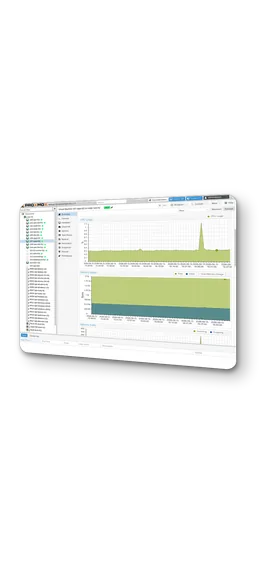
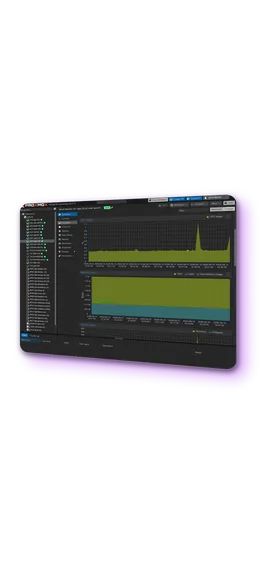
Bare metal dedicated servers for Proxmox VE, sized to the workload: a single KVM and LXC virtualization host, a three-node HA cluster or Ceph storage nodes. Servers in EU, US and APAC data centers, with a built-in migration path from VMware ESXi. Cluster, storage, backup and monitoring setup is available as hourly system administration.
-

 ECC memory and NVMe for ZFS
 -

 Dedicated VLAN for cluster traffic
 -

 Unmetered 1–40 Gbit/s ports
 -

 Preinstalled Proxmox VE

 No per-core licensing

 ESXi import built in

 Ceph-ready nodes

 Hourly administration
Hardware requirements for Proxmox VE
KVM requires a 64-bit CPU with Intel VT-x or AMD-V; PCIe passthrough additionally requires IOMMU. Current EPYC and Xeon platforms meet both, and the core count sets the VM density of the host.
ZFS verifies data on disk but cannot detect bit errors that occur in RAM before a write. ECC memory closes this gap, and all configurations on this page use it.
Neither ZFS nor Ceph is compatible with a hardware RAID controller. NVMe drives are exposed to ZFS directly, and redundancy is provided by a ZFS mirror, so checksums and self-healing work as designed.
ZFS and Ceph write synchronously, and on consumer SSDs this means high wear and latency spikes under load. Enterprise NVMe drives with power-loss protection handle sync writes without stalling and keep committed data safe if power is lost.
Proxmox VE itself needs about 2 GB, and the ZFS read cache takes 10% of RAM by default, up to 16 GB. The rest goes to virtual machines: roughly 55 GB on a 64 GB host.
Corosync needs a low-latency link between nodes, and Ceph needs a dedicated network of at least 10 Gbit/s. Cluster nodes connect over a private VLAN with 10–25 Gbit/s ports, separate from public traffic.
Dedicated server pricing for Proxmox VE
View all configurations
Rent a dedicated server for Proxmox VE
from INTROSERV


How to order a dedicated server
Select a configuration, choose Proxmox VE as the OS and receive access on delivery.
Read the documentation

Configuring Proxmox VE after installation
First essential settings on a fresh Proxmox VE host.
Read the tutorialMigration from VMware ESXi
-
1
Connect the ESXi host
The import wizard in the Proxmox VE web interface connects to an ESXi host or vCenter with read-only credentials. Supported sources are ESXi 6.5 to 8.0.
-
2
Map the configuration
CPU, memory, disks and network interfaces are read from the VM configuration and mapped to Proxmox VE settings. Disk format, target storage and network bridge are selected per VM.
-
3
Import the virtual machine
After the VM is powered off on ESXi, the import runs from the Proxmox VE web interface. The wizard transfers the disks and recreates the VM with its CPU, memory and network settings, without manual conversion.
-
4
Configure and switch over
Network settings are adjusted on the Proxmox VE side, the VM is started, and the QEMU guest agent and VirtIO drivers are installed inside the guest. After the checks the ESXi copy is retired. Migration of the whole environment is available as hourly system administration.

Licensing and support
Licensing
Proxmox VE is open source under the AGPLv3. There are no license fees and no limits on cores, memory, virtual machines or nodes. Updates come from the no-subscription repository, which is free and suitable for production. A subscription from Proxmox Server Solutions, from €120 per CPU socket per year, adds the enterprise repository with additionally tested packages and, on higher tiers, vendor support tickets.
Support
Vendor support covers Proxmox VE itself. Configuration of the host, cluster, storage and network on INTROSERV servers is done by INTROSERV engineers and billed by the hour, with or without a Proxmox subscription.


FAQ
-
How many servers does a Proxmox VE cluster need?
Three nodes are the minimum for a cluster that keeps quorum when one node fails. A two-node cluster works with a QDevice: a small external service that provides the third vote. Single hosts run without a cluster and can be joined to one later.
-
How many virtual machines can one Proxmox VE server run?
The limit is set by RAM and disk I/O, not by the software. A host with 64 GB of RAM runs about 15–20 VMs with 2–4 GB each, and a 256 GB host about 50–70. CPU cores can be overcommitted for general-purpose workloads; memory should not be.
-
ZFS mirror or RAIDZ for virtual machines?
Mirror. RAIDZ gives more usable capacity, but every VM write is split across all disks, which cuts IOPS and slows rebuilds. A mirror of two or four NVMe drives delivers the write latency virtual machines need. RAIDZ is a fit for a backup datastore, not for VM storage.
-
What does Ceph require on Proxmox VE?
At least three nodes with identical disks, a dedicated network of 10 Gbit/s or faster for Ceph traffic, and about 8 GB of RAM per OSD in addition to VM memory. Ceph is configured from the Proxmox VE web interface and provides shared storage for live migration and HA without a separate SAN.
-
Can VMs move between nodes without shared storage?
Yes. Proxmox VE replicates ZFS volumes between nodes on a schedule, as often as every minute, and migrates VMs using the replicated copy. HA failover then restarts the VM on the other node from the last replicated state.
-
How are Proxmox VE virtual machines backed up?
Proxmox VE includes scheduled backups of VMs and containers to any attached storage. Proxmox Backup Server, installed on a separate dedicated server, adds deduplication, incremental backups and client-side encryption. The host itself is covered by the INTROSERV backup service.
-
Is Proxmox VE preinstalled on the server?
Yes. Proxmox VE is selected as the operating system in the order form and installed on the server before delivery, with root access to the web interface and the shell. Cluster, storage and network configuration is available as hourly system administration.
-
How are several Proxmox clusters managed from one place?
Proxmox Datacenter Manager connects independent Proxmox VE clusters and Proxmox Backup Server instances in one interface, including live migration of VMs between clusters. It runs on a small separate machine and is available preinstalled as an one-click application on an INTROSERV VPS. Managed nodes need Proxmox VE 8.4 or later.






























