


Dedicated servers for Proxmox Backup Server
Deduplicated off-site backup target for Proxmox VE hosts and clusters
Your Proxmox VE backups on a separate server: a ZFS datastore on HDD with an NVMe special device, or on SATA SSD only. Connected over a private VLAN in the data center or over the public port from anywhere.
-

 NVMe special device for HDD datastores
 -

 Private VLAN at 10–25 Gbit/s
 -

 Off-site datastore up to 262 TB
 -

 PBS installation on request
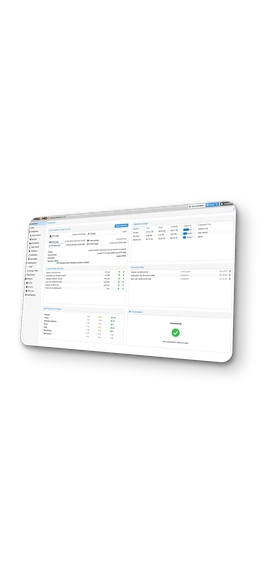
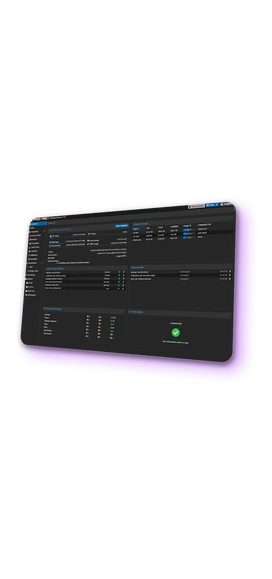

 Drives up to 22 TB

 Unmetered traffic available

 Instant or custom build

 Administration on request
Proxmox Backup Server hardware requirements
A datastore holds millions of chunks of about 4 MiB, and garbage collection and verification touch every one of them. Enterprise SSDs are the recommended datastore; with HDDs a mirrored NVMe special device keeps the metadata on flash, so garbage collection no longer waits for the disks.
Proxmox Backup Server needs 4 GiB for the system and its services plus at least 1 GiB per TiB of datastore, so a 100 TB datastore starts at about 100 GB. The extra gigabyte per terabyte is the ZFS cache for the metadata of millions of chunks; without it, garbage collection and verification read that metadata from the disks.
The client sends only new chunks and, if enabled, encrypts them, so the server spends its CPU on checksums, deduplication, verification, garbage collection and sync. Four cores are the documented recommendation; a cluster with nightly verification runs comfortably on 8–16.
A special device is a ZFS feature, so a datastore on HDDs with a metadata cache runs on ZFS. ZFS checks every block and repairs damage from its own redundancy, and for that it needs direct access to the drives: an HBA in IT mode or onboard SATA and NVMe, not a RAID controller. A RAID controller with a battery-backed cache is acceptable for the system disk only.
A datastore can be created in a directory on the system disk, but the documentation sizes the two differently: 32 GiB for the system, high-IOPS drives for the datastore. On a shared disk a reinstallation wipes the backups together with the system, and system I/O competes with backup jobs. A separate system SSD avoids both, and a ZFS datastore pool can then be imported on another server.
Backup traffic from Proxmox VE hosts in the same data center runs over a private 10–25 Gbit/s VLAN, where a full backup of a cluster does not compete with production traffic. The public port carries backups from other locations and sync jobs to a second server, all over TLS.
Dedicated server pricing for Proxmox Backup Server
View all configurations
Rent a dedicated server for Proxmox Backup Server
from INTROSERV


How to order a dedicated server
Select a configuration, add drive sets, order the installation of Proxmox Backup Server or install it over IP-KVM.
Read the documentation

Proxmox Backup Server initial setup and datastore organization for multiple hosts
Updates, a datastore on a separate disk, prune and verify schedules, SMTP alerts, and a namespace with its own API token per Proxmox VE host.
Read the tutorialOne backup server for all Proxmox VE hosts and clusters
-
1
Install Proxmox Backup Server and create the datastore
Install Proxmox Backup Server on the system disk and build a ZFS pool for the datastore: HDDs with a mirrored SSD or NVMe special device for metadata, or an all-flash pool on SSD or NVMe. Create the datastore on the pool and set the prune and verification schedules.
-
2
Add the datastore to Proxmox VE
On each Proxmox VE host or cluster, add the datastore as a backup storage with the address of the backup server, an API token and the certificate fingerprint. Hosts in the same data center connect over the private VLAN at 10–25 Gbit/s, hosts in other locations over the public port with TLS.
-
3
Run backups from Proxmox VE
Schedule backup jobs, set retention and restore VMs in the Proxmox VE interface, as with any other storage. Give every host or cluster its own namespace on the backup server: the backups stay separate, and identical data from different hosts is stored only once.
-
4
Manage everything from Proxmox Datacenter Manager
Run Proxmox Datacenter Manager as a one-click application on an INTROSERV VPS, add the backup server and all hosts as remotes, and manage them from a single dashboard: datastores, tasks, updates, subscriptions and a remote shell to each server.

Proxmox Backup Server licensing and support
Licensing
Proxmox Backup Server is open source under the AGPLv3 and runs with its full feature set without a subscription. Proxmox Server Solutions offers paid subscriptions per backup server with access to the enterprise repository and vendor support; they are bought from Proxmox or its resellers, not from INTROSERV.
Support
Without a subscription, support comes from the Proxmox forum and documentation. INTROSERV provides installation, configuration and ongoing support of Proxmox Backup Server on its servers as hourly system administration.

FAQ
-
How fast is the server delivered?
Instant configurations are ready within 3 hours of payment; custom builds with specific drive sets usually take up to 24 hours. The delivery time is shown on each configuration in the catalog.
-
Can the server be tested first?
Yes. A paid test period of up to 5 days is available, enough to install Proxmox Backup Server, create the datastore and run the first backups from a Proxmox VE host.
-
Is Proxmox Backup Server installed by INTROSERV?
On request. The server is delivered with IP-KVM access, and the client installs Proxmox Backup Server from the official ISO or orders the installation and datastore setup from INTROSERV engineers.
-
What access is provided to the server?
Full root access, IP-KVM console and the Proxmox Backup Server web interface on port 8007. A private VLAN to other INTROSERV servers is configured on order; the public port carries remote hosts and sync jobs over TLS.
-
What happens when a datastore drive fails?
A RAIDZ2 pool survives two failed drives, the special device mirror one. The client opens a support ticket, INTROSERV replaces the drive in the data center, and ZFS rebuilds the pool. Scheduled verification jobs detect damaged chunks before a restore depends on them.
-
Can the datastore be expanded later?
Yes. Drives for free bays are added by a support ticket, and the monthly price changes accordingly. A RAIDZ2 group grows by one drive at a time, a second group is added to the pool, or drives are replaced with larger ones.
-
Can existing backups be moved to the new server?
Yes. A sync job pulls all snapshots from the current Proxmox Backup Server over the network, incrementally and over TLS; a ZFS datastore pool from another server can also be imported directly. The Proxmox VE hosts are then pointed to the new server.
-
Is support available after the installation?
Yes. INTROSERV engineers maintain Proxmox Backup Server on the server after installation as hourly system administration: updates, job changes, troubleshooting and restores on request, paid only for the work done.


