



Virtualization services
From a single hypervisor to a private cloud
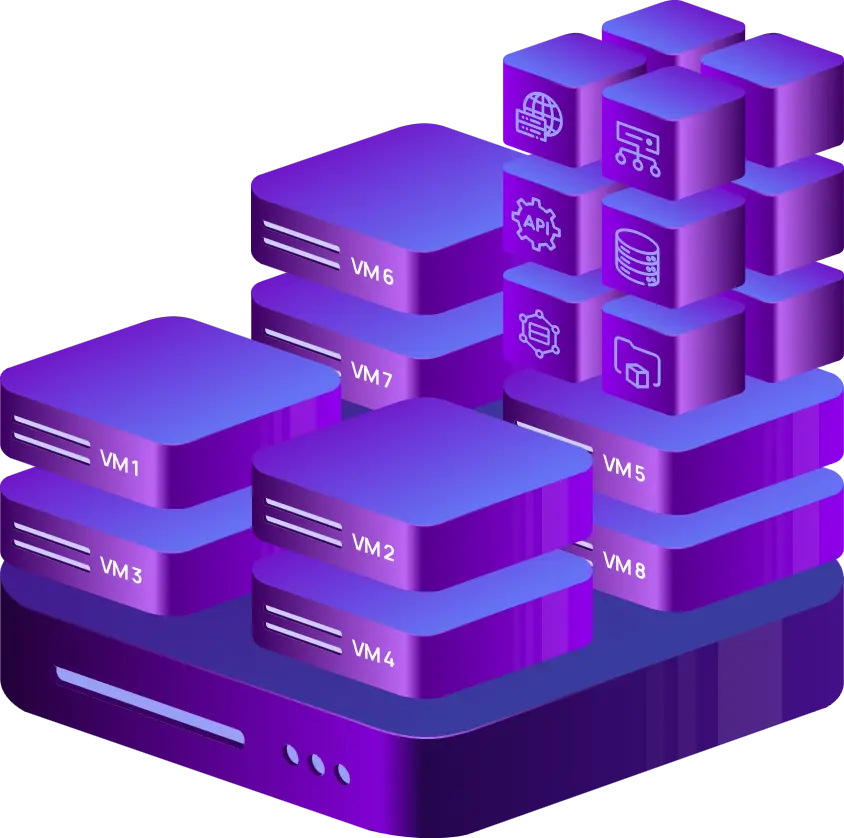
We design, deploy, and support virtualization platforms on your dedicated servers.
-

 Turnkey platform deployment
 -

 Private cloud on your servers
 -

 High availability clustering
 -

 Docker and Kubernetes
 -

 Network and firewall virtualization
 -

 Engineer-led support

 Turnkey delivery

 Transparent pricing

 24/7 support

 Fully customizable
What we set up for you
-


Platform deployment
We install and configure Proxmox VE, SUSE Virtualization, Microsoft Hyper-V, XCP-ng, and other platforms on your dedicated server – tuned for your workload from day one.
-


Virtual machine setup
We create your virtual machines, install the operating systems you need, configure virtual networking, and optimize each VM for its role.
-


High availability clustering
We build clusters with automatic failover and VM replication – your services keep running even if a node goes down.
-


Private cloud
A complete IaaS environment on your own hardware – full control over compute, storage, and networking, managed from a single interface.
-


Network, router, and firewall virtualization
We segment your infrastructure into isolated virtual networks and protect the perimeter with software routers and firewalls.
-


Applications on Docker
We deploy and configure containerized applications – from ERP and CMS systems to web servers, proxies, and LLM inference servers.
-


Applications on Kubernetes
We set up Kubernetes clusters and deploy your workloads – from standard business applications to custom microservices.
-


Container management systems
We install web-based management tools so you can run your container fleet from a single UI – networking, port forwarding, and volumes included.
Key advantages of server virtualization
-


Resource efficiency
Read more Read lessmultiple virtual machines run on a single physical server, maximizing hardware utilization and reducing the number of servers you need. Optimized allocation: CPU, memory, and storage are assigned dynamically based on workload demand, so no resource sits idle.
-


Cost savings
Read more Read lessfewer physical servers mean lower capital expenditure and simpler maintenance. Predictable spend: compared to public cloud, you run more virtual machines on your own server without per-resource billing or egress fees.
-


Flexibility and scalability
Read more Read lessvirtual machines are created, cloned, or removed in minutes, so applications and services ship faster. Elastic capacity: resources scale up or down to match demand – no physical hardware changes required.
-


Disaster recovery and business continuity
Read more Read lessvirtual machines are easy to back up, replicate, and restore, strengthening your disaster recovery posture. High availability: failover and load balancing features keep downtime to a minimum.
-


Simplified management
Read more Read lessadministrators manage every VM from a single interface, streamlining daily operations. Automation: provisioning, monitoring, and backups run on schedule, cutting administrative overhead.
-


Improved security
Read more Read lesseach VM is isolated from the others, limiting the blast radius of a security incident. Sandboxing: test and deploy applications in isolated environments without touching production.
-


Legacy application support
Read more Read lesslegacy applications keep running on modern hardware, extending their lifespan without costly rewrites.
-


Cross-platform compatibility
Read more Read lessrun Linux, Windows, and other operating systems side by side on the same hardware – ideal for development, testing, and mixed production environments.
-


Innovation and agility
Read more Read lessdevelopers spin up isolated environments in minutes, shortening the software development lifecycle.
-


Simplified migration
Read more Read lessvirtual machines move between physical servers or even data centers with minimal downtime, making workload migration and balancing straightforward.
Why INTROSERV?
- 24/7 professional technical support
- Skilled team of virtualization engineers
- Compliance with industry standards
- Proven track record and customer trust
- Solutions built around your requirements
- Competitive prices for hardware and services
- Reliable, enterprise-grade hardware

Who benefits from virtualization
Cost savings, resource optimization, disaster recovery, scalability, and dedicated environments for testing and development.
Efficient centralized management, flexible resource allocation, and stronger isolation between workloads.
Isolated environments, cross-platform testing, and rapid prototyping without touching production.
Cost-effective virtual labs, access to diverse software, and infrastructure for remote learning.
Affordable IT infrastructure that scales with the company – plus room to test and develop.
Data security, controlled resource sharing, and support for regulatory compliance.
Cost efficiency, disaster recovery, and strict privacy and security controls.
Safe experimentation, legacy software support, and better privacy through isolation.
Platforms and tools our engineers know inside out
- Proxmox VE
- SUSE Virtualization
- Microsoft Hyper-V
- XCP-ng
- Apache CloudStack
- Virtualizor
- LINSTOR
- Ceph
- Docker
- Kubernetes







FAQ
-
Is there additional pricing for virtualization platforms?
It depends on the platform and usage model. Many commercial platforms have their own licensing and pricing, while open-source solutions are free to use – with optional paid subscriptions for vendor support. In practice, there is almost always an open-source alternative that matches paid software in core functionality.
-
Can it integrate with existing IT infrastructure or cloud platforms?
Yes. At the network level, you connect the platform to your local network over VPN tunnels. At the automation level, every major platform exposes a REST API and works with Terraform and Ansible. At the storage level, you can attach almost any cloud storage to the platform or directly to a VM – the same applies to backup targets. Cross-platform migration and bare-metal conversion tools cover the rest.
-
Does it offer live migration or failover capabilities?
Yes. Nearly all modern virtualization platforms support live VM migration and let you build fault-tolerant, highly available clusters.
-
What operating systems and applications are supported?
Virtualization platforms run virtually any Unix-like operating system as well as Windows – so almost any application stack is supported.
-
What is the performance impact of using a virtualization platform?
The virtualization layer between the VM and the hardware is thin. With properly tuned VM parameters, the overhead is minimal – and many physical devices can be passed through directly to the virtual machine for near-native performance.
-
How can I set up a backup, and what options do I have?
Virtualization platforms include built-in tools for VM snapshots and backups. You can store them on local server storage or connect external storage – including cloud storage – over a convenient protocol.
-
Does it support APIs for custom integrations?
Yes. Most virtualization platforms provide a built-in REST API. Capabilities vary in detail, but the functionality is sufficient for most integration and automation scenarios.
-
How easy is it to deploy and configure the virtualization platform?
If you have never deployed a virtualization platform before, the initial setup can be challenging – and tuning VMs for real workloads adds another layer of complexity. That is why we prepare some platforms with sensible default settings before handing the server over, and offer full implementation services – from platform deployment and VM tuning to building a private cloud on Apache CloudStack.






























