INTROSERV Application Marketplace: Launching Software on VPS Without Manual Configuration
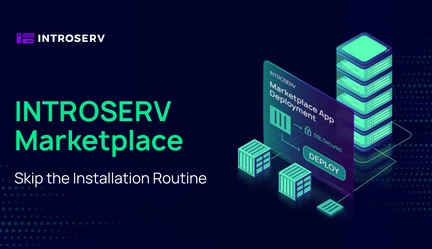
Software deployment and configuration for specific tasks typically require routine operations: connecting via SSH,updating repositories, resolving dependencies, and configuring web servers. With the launch of the INTROSERV Application Marketplace, these processes are fully automated. Now, deploying the required software on a VPS is done in a matter of minutes — either when ordering a server or directly through the control panel.
How the INTROSERV Application Marketplace Works
In the control panel, you will find a continuously updated catalog of popular applications and services. When you select a software item, the platform automatically performs its installation — either natively within the OS or in isolated Docker containers. The installation process is completely automated: you only need to wait for the deployment to complete, after which you can use the ready-made access credentials or complete a brief initial setup wizard.
Technical Features of the Solution
Authentication Variability: The control panel logic adapts to the software architecture. For a number of applications (e.g., Zabbix Server), access credentials are generated automatically, displayed in the control panel,and duplicated on the server in /root/credentials.txt. For solutions with initial web setup (e.g., Dokploy), the panel provides a guide for creating an account manually via the Web UI. For applications without a GUI, exact commands for SSH configuration are provided.
VPS Data Synchronization: Root access credentials for the VPS are always available in the "Details" tab. Please note: installing an application from the Marketplace triggers a complete OS reinstallation and automated generation of a new root password.
Confidentiality: For security purposes, INTROSERV does not have access to data modified by the user. If you change a password inside an application or on the server via passwd, the initial tokens will remain in the control panel and the credentials.txt file. Please remember to save new passwords using a method convenient for you.
Domains and SSL: By default, applications use a self-signed SSL certificate. To switch the web interface to a trusted HTTPS connection, simply point the domain's A-record to the server's IP and run the pre-installed setup-ssl script. It will automatically configure the Nginx reverse proxy and issue a free Let's Encrypt certificate.
Using a System FQDN: Having a commercial domain is optional. You can run the setup-ssl script for the server's system name (an FQDN like vpsXXXXX.introserv.cloud), and the certificate will be issued for it.
"As Is" Delivery: INTROSERV provides computing power and the deployment tool without modifying the application code or selling licenses. The client receives the original software from the vendor, so all licensing and functional support issues are handled directly with the developer.
Applications are delivered in a base configuration to maintain maximum flexibility. Further security hardening is performed by the client. It is recommended immediately after installation to restrict access to admin panels and SSH ports at the OS firewall level (allowing connections only from trusted IPs), change default passwords, and set up SSH key authentication.
You can review all technical instructions for application installation and configuration in the Marketplace documentation section.
To choose your software and launch automated deployment, navigate to the INTROSERV Billing Panel.
Subscribe to news