Deploy ThinLinc in one click
Linux remote desktop server, ready in minutes
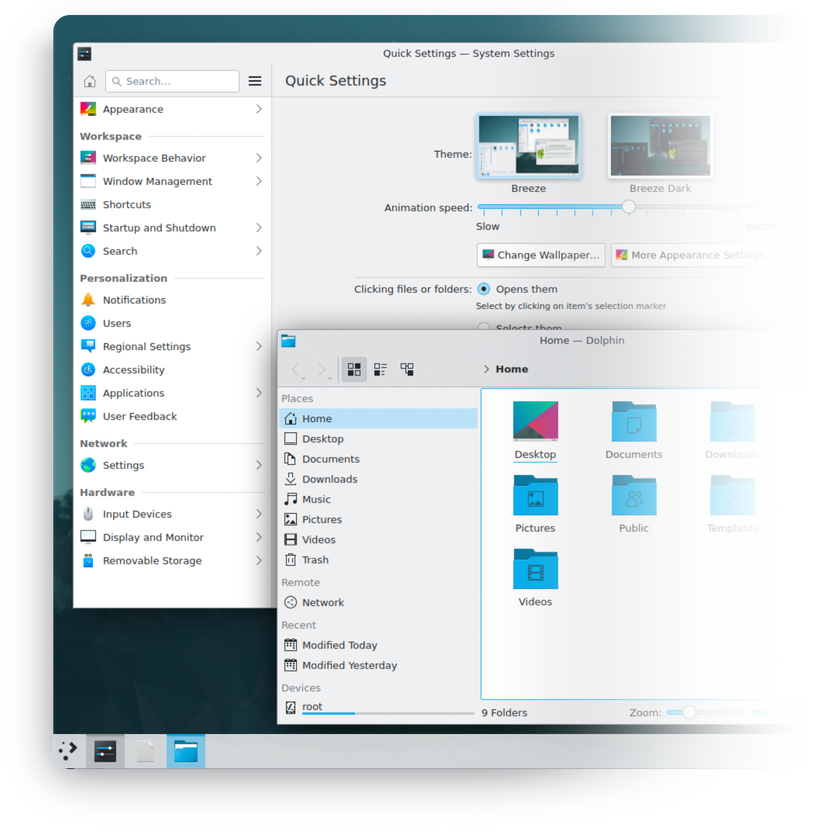
ThinLinc is a remote desktop server by Cendio that turns a Linux machine into a multi-user graphical workspace – full desktops delivered over an encrypted connection.
-

 Complete Linux desktops from anywhere
 -

 Sessions survive disconnects
 -

 Native clients for Windows, macOS, Linux
 -

 Remote desktop in the browser
 -

 Sound, local drives, smart card redirection
 -

 Adaptive quality on slow links

 Installs with
your VPS

 Full root
access

 Live in
~5 minutes

 Firewall
preconfigured
Key features
Close the laptop mid-task and reconnect hours later from another device – your desktop resumes exactly where you left it.
The native client tunnels the entire session through SSH on port 22 – no extra VPN layer needed to work securely over the internet.
Log in from any modern browser over TLS on port 300 – handy on machines where you can't install software.
Mount client drives into the session, bring sound to your speakers, and use smart cards for authentication.
KDE Plasma, Xfce, and MATE ship as minimal installs from the official Ubuntu repositories – no bundled extras eating RAM.
Users are ordinary system accounts – add one with a standard command, no separate user database, with PAM and directory integration when you need it.
System requirements
View All VPS Options
Get started in 4 easy steps
-
1
Select a VPS plan
Choose the virtual server resources and performance tiers that fit your project requirements.
-
2
Pick your application
Browse our marketplace during VPS setup and select the self-hosted software you want to deploy.
-
3
Complete the payment
Pay the standard virtual server invoice – the 1-click deployment tool itself is fully complimentary.
-
4
Complete and access
Your server provisions and automatically installs the software. Once the setup process finishes, your new environment is fully ready for you to connect and use.
Deployment details


Application
ThinLinc Server – official Cendio server bundle
- Official .deb packages, installed natively via dpkg
- Master, agent, and Web Access services running out of the box
Operating system
Ubuntu 24.04 LTS – clean minimal install
- Native packages, no containers
- Full root access over SSH


Desktop environments
KDE Plasma, Xfce, and MATE
- Minimal installs from the official Ubuntu repositories
- Lightweight desktops keep more RAM free for your applications
Remote access and security
Encrypted access on exactly two open ports
- Native client connects over SSH, browser client over TLS
- iptables firewall preconfigured
- Remote desktop credentials delivered to your INTROSERV panel


Software licensing
Proprietary – Cendio EULA
- Free for up to 3 concurrent users by default; up to 10 with a free community license
- Beyond 10 users – licenses purchased directly from Cendio
- Full license terms
Why deploy on INTROSERV
-


NVMe storage
Every VPS runs on NVMe drives – fast I/O for databases, metrics, and busy workloads.
-


Locations in Europe and the US
Deploy close to your infrastructure and users – lower latency, regional compliance.
-


Unmetered traffic
No bandwidth caps and no overage bills – your monthly price stays predictable.
-


IPv4 and IPv6 included
A dedicated IPv4 address plus native IPv6 with every server.
-


24/7 human support
Engineers on duty around the clock – real answers, not ticket bots.
-


Scale anytime
Upgrade CPU, RAM, or storage as your workload grows – without migrating.
Terms and support boundaries
Infrastructure and support limits
Our company provides the Virtual Private Server infrastructure and the automation script for initial deployment. While we guarantee the availability and performance of your hardware and network, our technical support exclusively covers infrastructure-related issues – such as server connectivity, hardware stability, and billing. Assistance with application-specific configuration, software bugs, or user management is the responsibility of the server administrator or software maintainers.
Software licensing and compliance
All marketplace tools deploy standard versions of third-party software products and are provided "as-is" with no modifications to their original code. While the core of many available applications is open-source, using proprietary features or advanced enterprise tiers in production environments may be subject to the vendor's specific licensing terms. Users must manage and acquire any required commercial subscriptions directly from the software developers.
FAQ
-
Do I need to buy a license to use ThinLinc?
Not to get started. ThinLinc is free for up to 3 concurrent users out of the box, and you can raise that to 10 by installing a free community license from the ThinLinc Customer Portal. Beyond 10 concurrent users, you purchase user licenses directly from Cendio – INTROSERV does not sell ThinLinc licenses, and they are not included in the server price.
-
How do I connect after deployment?
Once the server is provisioned, the login and password for your remote desktop appear in your INTROSERV panel. Install the free ThinLinc client for Windows, macOS, or Linux and connect to your server's IP address – or open https://your-server-ip:300 in a browser and sign in through Web Access.
-
Which desktop environment will I get?
Three are available to choose from – KDE Plasma, Xfce, and MATE – all as minimal builds from the official Ubuntu repositories. Xfce and MATE are the lighter options and leave the most resources for your applications; KDE Plasma offers the most polished full-desktop experience.
-
Is the connection secure over the public internet?
Yes. The native client carries the entire session inside an SSH tunnel, and the browser client uses TLS. The preconfigured iptables firewall keeps every other inbound port closed – only 22 and 300 are reachable from outside.
-
Can several people work on the server at the same time?
Yes – ThinLinc is a true multi-user system. Each person logs in with their own Linux account and gets an isolated desktop session. Concurrency is capped by your license tier: 3 by default, 10 with the community license, unlimited with purchased user licenses – sized against your VPS resources.
-
How are updates handled?
ThinLinc is installed from Cendio's official packages, and you decide when to upgrade – download a newer server bundle from cendio.com and install it over SSH with full root access. Cendio ships new releases roughly twice a year and supports each version for 3 years.
-
What if I outgrow my configuration?
Upgrade the CPU and RAM of your VPS – no reinstallation needed, and desktop workloads respond well to extra memory. As a rule of thumb, revisit your plan when you approach the concurrent session ranges listed in the requirements above, and remember that more than 10 concurrent users also means buying user licenses from Cendio.
-
Can I run 3D or GPU-accelerated applications?
Server-side 3D acceleration in ThinLinc requires a GPU, which is not part of a standard VPS. Desktops, browsers, office suites, IDEs, and development tools all run comfortably on CPU rendering. For CAD, 3D modeling, and similar OpenGL-heavy workloads, deploy ThinLinc on a dedicated GPU server instead.