Deploy SeaweedFS in one click
Fast S3-compatible object storage, ready in minutes
SeaweedFS is an open-source storage system for objects and files – an S3-compatible store that stays fast even with millions of small files. A fully working single-server instance deploys together with your VPS – S3 API, filer, and web admin console.
-

 S3-compatible object storage API
 -

 Handles millions of small files
 -

 One disk read per file
 -

 Automatic file expiry with TTL
 -

 Cloud tiering for cold data
 -

 IAM users and access policies

 Installs with
your VPS

 Full root
access

 Live in
~5 minutes

 Unmetered
bandwidth
Key features
Buckets, multipart uploads, presigned URLs, versioning, lifecycle rules, and bucket policies – works with the AWS CLI, SDKs, and any S3 client.
Each stored file costs a 16-byte in-memory index entry, so reads hit the disk exactly once – no metadata lookups on the I/O path.
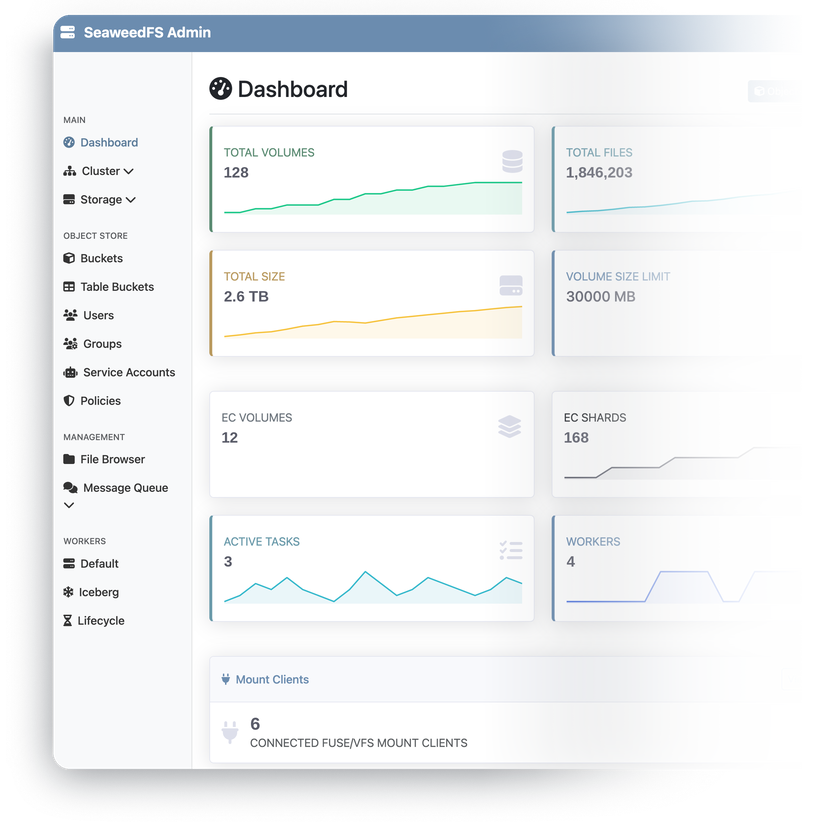
Server status, storage volumes, and maintenance tasks like vacuum and cleanup – all managed from the browser.
Offload older volumes to external cloud storage and keep your VPS disk for hot data – transparent to clients.
Create users, access keys, and permission policies with standard AWS IAM commands – the IAM API is embedded in the S3 endpoint, with STS temporary credentials on top.
Everything runs on one VPS today – and the same architecture scales out to extra volume servers later, without changing how clients connect.
System requirements
View All VPS Options
Get started in 4 easy steps
-
1
Select a VPS plan
Choose the virtual server resources and performance tiers that fit your project requirements.
-
2
Pick your application
Browse our marketplace during VPS setup and select the self-hosted software you want to deploy.
-
3
Complete the payment
Pay the standard virtual server invoice – the 1-click deployment tool itself is fully complimentary.
-
4
Complete and access
Your server provisions and automatically installs the software. Once the setup process finishes, your new environment is fully ready for you to connect and use.
Deployment details


Application
SeaweedFS – latest official release
- Two containers via Docker Compose – the storage node & the web admin console
- Official chrislusf/seaweedfs image
Operating system
Ubuntu 24.04 LTS – clean minimal install
- Docker Compose managing the SeaweedFS containers
- Full root access over SSH


Web access and SSL
Nginx serving everything on a single HTTPS endpoint
- Admin console at the root, S3 API under the /s3/ path
- Self-signed certificate enabled by default
Access credentials
Everything you need to connect, generated at deploy time
- Admin login and password shown in your client area panel
- /root/credentials.txt on the server keeps the login, password, and all access URLs


Software licensing
Apache License 2.0 – open-source, no license fees
- No storage limits, feature gates, or paid tiers
- Full Apache 2.0 license text
Why deploy on INTROSERV
-


NVMe storage
Every VPS runs on NVMe drives – fast I/O for databases, metrics, and busy workloads.
-


Locations in Europe and the US
Deploy close to your infrastructure and users – lower latency, regional compliance.
-
Unmetered traffic
No bandwidth caps and no overage bills – your monthly price stays predictable.
-


IPv4 and IPv6 included
A dedicated IPv4 address plus native IPv6 with every server.
-


24/7 human support
Engineers on duty around the clock – real answers, not ticket bots.
-
Scale anytime
Upgrade CPU, RAM, or storage as your workload grows – without migrating.
Terms and support boundaries
Infrastructure and support limits
Our company provides the Virtual Private Server infrastructure and the automation script for initial deployment. While we guarantee the availability and performance of your hardware and network, our technical support exclusively covers infrastructure-related issues – such as server connectivity, hardware stability, and billing. Assistance with application-specific configuration, software bugs, or user management is the responsibility of the server administrator or software maintainers.
Software licensing and compliance
All marketplace tools deploy standard versions of third-party software products and are provided "as-is" with no modifications to their original code. While the core of many available applications is open-source, using proprietary features or advanced enterprise tiers in production environments may be subject to the vendor's specific licensing terms. Users must manage and acquire any required commercial subscriptions directly from the software developers.
FAQ
-
Do I need a license to run SeaweedFS?
No. SeaweedFS is fully open-source under the Apache License 2.0 – no storage limits, feature restrictions, or paid tiers in the version we deploy. The vendor sells a separate Enterprise Edition with extras like self-healing storage, but it's optional and purchased directly from them. You only pay the standard virtual server invoice.
-
How do I log in after deployment?
Once the server is provisioned, you'll find the admin console URL, login, and a securely generated password in your INTROSERV panel, in the Marketplace tab. The same credentials, together with all access URLs including the S3 endpoint, are saved in /root/credentials.txt on the server.
-
How do S3 clients connect?
Point any S3-compatible client – the AWS CLI, rclone, SDKs, backup tools – at the S3 endpoint listed in /root/credentials.txt. It's served over HTTPS on the same address as the admin console, so one certificate covers both. Until you issue a trusted certificate, tell your client to skip TLS verification.
-
How do I get a valid SSL certificate?
The server ships with a self-signed certificate enabled by default. To issue a free Let's Encrypt certificate for your own domain or the server's FQDN, connect over SSH and run the setup-ssl script in the console – one command, no manual configuration. After that, S3 clients connect without any TLS workarounds.
-
Is SeaweedFS a replacement for MinIO?
For most self-hosted setups, yes. MinIO's community edition stopped active development and its repository was archived in 2026, and SeaweedFS is one of the most commonly named migration targets – it speaks the same S3 protocol, so existing clients and SDKs keep working. Copy your data over with a standard S3 sync tool and switch the endpoint.
-
Can I migrate my existing S3 data?
Yes. Any S3-to-S3 transfer tool works – rclone and aws s3 sync are the usual choices. Create a bucket on your SeaweedFS server, run the sync against both endpoints, and verify object counts. Applications only need the new endpoint URL and key pair.
-
How are updates handled?
The deployment tracks the official SeaweedFS Docker image. To update, connect over SSH and pull the new image with Docker Compose – a couple of commands, under a minute of downtime. You have full root access and decide when to update – nothing changes behind your back.
-
What if I outgrow my configuration?
Upgrade the CPU, RAM, or NVMe storage of your VPS as your data grows – no reinstallation needed, your buckets stay in place. SeaweedFS itself is built to scale further by adding volume servers, so a single growing node never locks you into a ceiling.