Deploy n8n in one click
Workflow automation with native AI, ready in minutes
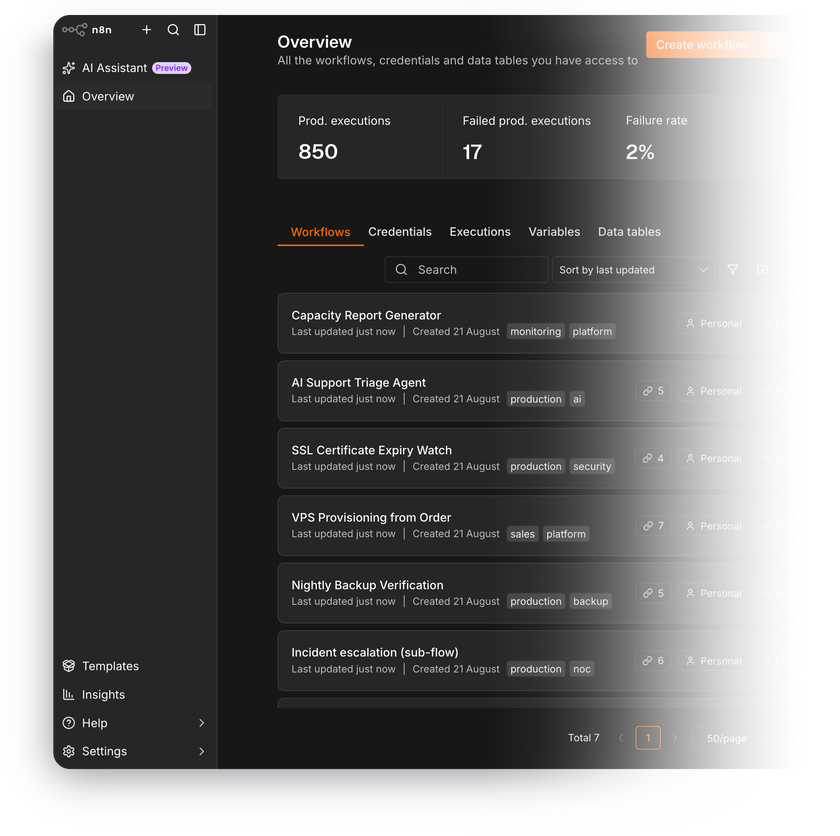
n8n is a fair-code workflow automation platform that connects your apps, APIs, and AI models with visual workflows – no per-execution fees, your data stays on your server.
-

 Visual drag-and-drop workflow editor
 -

 500+ prebuilt app integrations
 -

 AI agents with tool calling
 -

 JavaScript and Python code nodes
 -

 Webhook, schedule, and app triggers
 -

 No workflow or execution limits

 Installs with
your VPS

 Full root
access

 Live in
~5 minutes

 Docker or
native setup
Key features
Run a single node instead of the whole workflow and inspect input and output data at every step – fast iteration without re-triggering events.
Services without a prebuilt integration connect through the HTTP Request node – reuse existing credentials or import a curl command.
Build agents that reason, call tools, and keep conversation memory – wire them to OpenAI, Anthropic, Google, or a locally hosted model.
Pause a workflow or gate an AI agent's tool call until a person approves it in chat, Slack, or Telegram.
Drop into the Code node for JavaScript or Python when visual nodes aren't enough – full data transforms without leaving the workflow.
Split execution across worker processes with Redis-backed queue mode when webhook traffic outgrows a single process.
System requirements
View All VPS Options
Get started in 4 easy steps
-
1
Select a VPS plan
Choose the virtual server resources and performance tiers that fit your project requirements.
-
2
Pick your application
Browse our marketplace during VPS setup and select the self-hosted software you want to deploy.
-
3
Complete the payment
Pay the standard virtual server invoice – the 1-click deployment tool itself is fully complimentary.
-
4
Complete and access
Your server provisions and automatically installs the software. Once the setup process finishes, your new environment is fully ready for you to connect and use.
Deployment details


Application
n8n – latest stable release
- Workflow editor and automation engine running out of the box
- Two installation flavors to choose from at deployment
Docker option
Docker Compose stack – the vendor's recommended setup
- Official n8nio/n8n image running in isolated containers
- nginx-proxy container routing the editor over HTTPS
- Self-signed certificate enabled by default
npm option
Native Node.js install – no container layer
- pm2 keeps n8n running, restarts it on failure, and survives reboots
- Caddy reverse proxy with a trusted TLS certificate


Data and persistence
Everything n8n needs to start automating immediately
- Bundled SQLite database configured out of the box
- Workflows, credentials, and execution history persist across restarts


Software licensing
Sustainable Use License – fair-code, no license fees for internal use
- No workflow, execution, or user-seat limits
- Full Sustainable Use License text
Why deploy on INTROSERV
-


NVMe storage
Every VPS runs on NVMe drives – fast I/O for databases, metrics, and busy workloads.
-


Locations in Europe and the US
Deploy close to your infrastructure and users – lower latency, regional compliance.
-
Unmetered traffic
No bandwidth caps and no overage bills – your monthly price stays predictable.
-


IPv4 and IPv6 included
A dedicated IPv4 address plus native IPv6 with every server.
-


24/7 human support
Engineers on duty around the clock – real answers, not ticket bots.
-


Scale anytime
Upgrade CPU, RAM, or storage as your workload grows – without migrating.
Terms and support boundaries
Infrastructure and support limits
Our company provides the Virtual Private Server infrastructure and the automation script for initial deployment. While we guarantee the availability and performance of your hardware and network, our technical support exclusively covers infrastructure-related issues – such as server connectivity, hardware stability, and billing. Assistance with application-specific configuration, software bugs, or user management is the responsibility of the server administrator or software maintainers.
Software licensing and compliance
All marketplace tools deploy standard versions of third-party software products and are provided "as-is" with no modifications to their original code. While the core of many available applications is open-source, using proprietary features or advanced enterprise tiers in production environments may be subject to the vendor's specific licensing terms. Users must manage and acquire any required commercial subscriptions directly from the software developers.
FAQ
-
Do I need a license to run n8n?
No payment to the vendor is required for typical use. n8n is fair-code software under the Sustainable Use License – free to use for your own internal business purposes, with no workflow, execution, or user limits. The license restricts one thing: reselling n8n itself as a hosted service to third parties. Enterprise features like SSO require a commercial license from n8n directly.
-
Which flavor should I pick – Docker or npm?
Docker is the vendor's recommended production setup and the only officially distributed format starting with n8n 3.0 – pick it for the standard, forward-compatible stack. The npm flavor runs n8n natively under the pm2 process manager – pick it for direct access to the Node.js process, logs, and filesystem without a container layer
-
How do I log in after deployment?
Once the server is provisioned, you'll find the web interface URL in your INTROSERV panel. In the Docker flavor, a securely generated login and password appear in the panel as well – sign in with them, and we recommend setting your own password after the first login. In the npm flavor, you create the instance owner account on first launch – that account controls users, settings, and credentials on your instance.
-
Can I install community nodes?
Yes. Beyond the built-in integrations, self-hosted n8n installs community nodes from the npm registry right in the interface – Settings, Community Nodes, enter the package name. The instance owner or an admin runs the install; hundreds of community-built nodes cover services without an official integration.
-
Can I migrate my existing n8n instance?
Yes. Export your workflows and credentials with n8n's CLI or copy the database, and bring the encryption key from your old instance – without it, stored credentials can't be decrypted. Keep the same n8n major version during the move, then upgrade in place.
-
How are updates handled?
You decide when to update – nothing changes behind your back. In the Docker flavor, pull the new image and restart the Compose stack; in the npm flavor, install the new version through npm and restart the process with pm2. Note that starting with n8n 3.0 the vendor distributes new releases through Docker only, so an npm install stays on the 2.x line unless you migrate.
-
Do the AI features cost extra?
No. AI Agent nodes, memory, and tool calling are part of the free version. You only pay the usage fees of the model provider you connect – OpenAI, Anthropic, Google – or nothing at all if you point n8n at a locally hosted model.
-
What if I outgrow my configuration?
Upgrade CPU and especially RAM of your VPS as workflows multiply – memory is what n8n consumes first under parallel executions and large payloads. For sustained high-volume webhook traffic, n8n's queue mode spreads work across worker processes on a bigger configuration.