


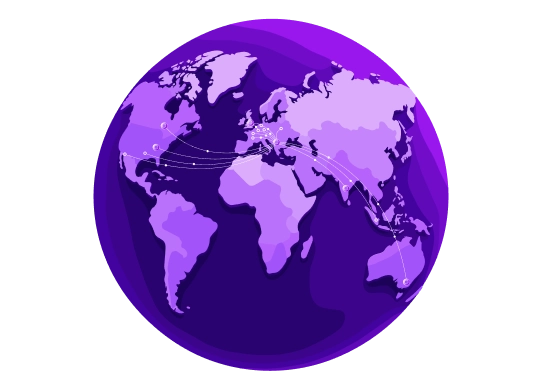
Worldwide network backbone
Data centers are interconnected through a global network of Internet Points of Presence, ensuring fault tolerance, strong security, low latency, and efficient traffic management.

 Capacity
up to 100 Tbps

 Tier 1
global providers

 Up to 50
redundant PoPs

 99.99%
uptime
Up to 70 Internet Exchange Points all over the world
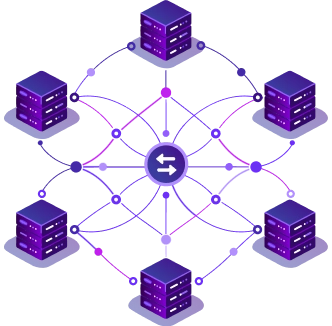
An Internet Exchange Point is like a busy highway hub for the internet. It lets different networks connect directly, so data moves faster and more efficiently. By using an IXP, companies save money and get better performance than by making individual connections to every network. The more networks connected, the smoother and faster the traffic.
Benefit from a global network designed for peak performance. With 70 IXPs in key locations worldwide, your data always takes the fastest, most reliable route. This ensures your services remain quick, stable, and accessible across the globe. For speed, reliability, and worldwide reach, this network has you covered.
Worldwide Interconnection Facilities


Benefits you will receive
-


Unlimited traffic for most plans
Read more LessFor high-traffic projects, we offer unlimited plans, ensuring consistent availability and low latency, even for intercontinental connections.
-


Optimised network connectivity
Read more LessOur robust network enables diverse plans with varying uplink speeds, letting clients balance cost and bandwidth needs.
-


Worldwide availability
Read more LessMore Points of Presence mean faster speeds, better availability, quicker load times, lower latency, and improved gaming experiences.
-


Abundant capacity
Read more LessThe network backbone provides high throughput at 55% capacity, ensuring fast, ultra-low latency connections globally.
-


Full IPv6 support
Read more LessOur global network supports IPv6, enabling full use of its features on your servers.
-


Intelligently designed network
Read more LessDesigned for maximum fault tolerance, our network ensures 99.99% uptime, handling peak loads, DDoS attacks, and provider failures with intelligent route and traffic management.

FAQ
-
How can I test the network before ordering a server?
Use our Looking Glass. It runs ping, traceroute and MTR from our network to any address you enter. Run it against your own IP to see real latency and routing. This helps you check the connection before you commit to a plan.
-
Which data center location should I choose?
Choose the location closest to most of your users. Shorter physical distance usually means lower latency. To compare locations, enter IP addresses from your users' ISPs or regions in the Looking Glass. Our team can also help you decide.
-
Does server location affect SEO?
Indirectly. Search engines rank fast sites higher, and a server close to your audience loads pages faster. Location matters less than content language and regional targeting. If your audience is global, a CDN can cut load times in distant regions.
-
Why does my latency differ from the Looking Glass results?
Traffic to and from your server can take different routes, so latency in each direction may differ. Your ISP, Wi-Fi and local network also add delay on your side. Run MTR in the Looking Glass to see where the delay appears along the path. Small differences between tests are normal.
-
What should I do if my server feels slow over the network?
Run MTR in the Looking Glass to your IP address. MTR shows packet loss and delay at each hop along the route. Send the results to our support team. This helps us find where the slowdown happens.
-
How do I choose the right uplink speed?
Start from your expected peak traffic, not the monthly total. Short spikes need headroom, or users will notice slowdowns at busy times. If you are not sure, our team can help you estimate what you need.
-
Can I change my uplink speed later?
On most servers, yes. Contact our team to move to a faster uplink without setting up a new server. A small number of servers support only a 1 Gbps uplink. If you expect your traffic to grow, ask us about upgrade options before you order.
-
Does my server come with IPv6?
Yes. Every server comes with a /64 IPv6 subnet. That gives you more addresses than any project will need, so you can assign separate ones to sites, containers or virtual machines. Configure the addresses you need in your operating system.


