


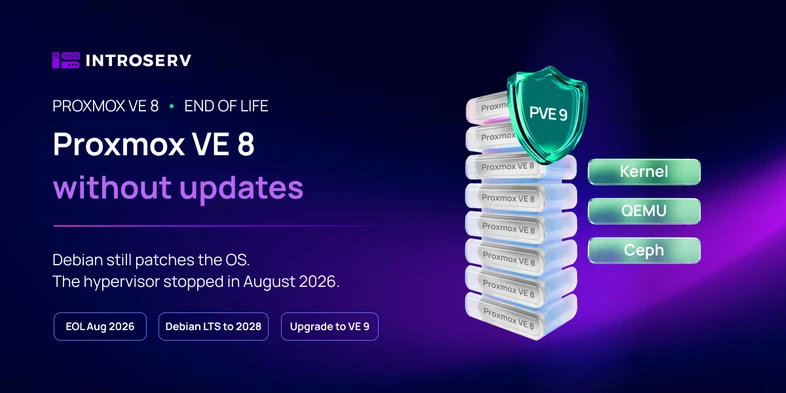
Proxmox VE 8 reached end of life in August 2026. Many servers still run this version, and there is no reason to panic: nothing broke, virtual machines start, backups run. But the host now runs on a branch that Proxmox no longer fixes.
Let's look at what this means in practice, why the system will not tell you about it, and when the upgrade is easier to leave to an administrator.
What changed in August 2026
Proxmox VE 8 was released in June 2023 on Debian 12 Bookworm. Support for the Proxmox VE 8 branch itself ended in August 2026. Debian 12, however, keeps receiving LTS updates, so some system packages on the server are still updated.
After the end of support:
- no new security fixes are released for Proxmox VE 8 components;
- bugs in this branch are no longer fixed;
- the repositories stay available, but no new Proxmox packages for version 8 will appear there.
It is just as important to understand what the end of support does not mean. The server will not shut down, virtual machines and containers keep running, and the configuration stays where it is. What changes is that you can no longer count on the regular cycle of fixes for this version.
At the time of writing, the current branch is Proxmox VE 9. It was released in August 2025 on Debian 13 Trixie, and the latest available release, 9.2, came out in May 2026.
Why apt will not warn you
Here is the trap. Debian 12 has moved to long-term support (LTS), which lasts until June 2028. So apt update and apt upgrade on a Proxmox VE 8 server keep working and even install updates: these are fixes for regular Debian packages.
From the outside, it looks as if the system is being updated. But Debian LTS does not cover the components of Proxmox itself:
- the Proxmox kernel (the
proxmox-kernelpackages), which is built separately from the Debian kernel; - the web interface and API (
pve-manager); - QEMU and KVM, which run the virtual machines;
- LXC containers, cluster tools and Ceph packages.
These are the parts responsible for the hypervisor and its security, and after the end of support Proxmox no longer releases security fixes or critical fixes for the 8 branch. apt shows no message about it.

What it means for the server
It is easy to slip into scare stories here, so let's split the consequences by time.
Right after the end of support, nothing critical happens. The server works the same way it did the day before.
Over time, the difference becomes noticeable:
- vulnerabilities found in the kernel, QEMU, LXC or the web interface will not be fixed for Proxmox VE 8;
- over time, compatibility problems may appear with new software and components that already target supported Proxmox versions;
- troubleshooting gets harder because the system is no longer on a supported branch;
- the longer the upgrade is postponed, the more changes pile up and the harder the move becomes.
Staying on Proxmox VE 8 is especially risky if:
- the web interface or SSH of the host is reachable from the internet;
- important production machines run on the server;
- the company has security or audit requirements;
- updates have not been installed on the server for a long time.
The host and the guest systems are updated separately
This is often confused. Updating Proxmox VE and updating virtual machines are different things.
One server can run Proxmox VE 8 on the host, Ubuntu or Windows Server inside virtual machines, and different versions of applications at the same time. Each of these systems has its own lifecycle.
So fresh updates inside a guest Windows or Ubuntu do not solve the problem of the host. If the hypervisor stays on Proxmox VE 8, it runs an unsupported version.
How to check your version
One command on the host is enough:
pveversion
The output looks roughly like this:
pve-manager/8.4.1/2a5fa54a8503f96d (running kernel: 6.8.12-9-pve)
If the number after pve-manager/ is 8, the server runs on a branch that is no longer supported.
What to do before the upgrade
Moving from Proxmox VE 8 to Proxmox VE 9 is officially supported as an in-place upgrade, so you do not need to reinstall the system. But preparation matters more than the commands themselves.
A short checklist:
- update the current installation to the latest 8.4 version, otherwise the compatibility check will not pass;
- run the built-in check
pve8to9 --full: it shows known problems before the upgrade starts and does not change anything in the system; - check the free space on the root partition (the official Proxmox guide asks for at least 5 GB, preferably more than 10 GB) and the state of the storage;
- back up all virtual machines and containers and make sure they can be restored;
- plan a maintenance window and think through what you will do if something goes wrong.
Having a backup does not mean you can restore from it. Before the upgrade, restore at least one machine from a recent backup and make sure it starts. Keep the backups outside the server being upgraded, for example in INTROSERV Backup Service.
Where the upgrade most often goes off plan:
- if you use Ceph, upgrade it to version 19.2 Squid in a separate step before upgrading Proxmox itself. Squid support ends at the end of October 2026, so after moving to Proxmox VE 9.2, plan the next step right away: upgrading Ceph to version 20 Tentacle;
- Proxmox VE 9 drops support for cgroup v1, so containers with old distributions (for example, CentOS 7 or Ubuntu 16.04) may stop starting;
- in a cluster, nodes are upgraded one at a time: first move the machines off the node, then upgrade it, check it, and only then move on to the next one;
- the new kernel can rename network interfaces, so make sure in advance that you can reach the server through IP-KVM;
- check third-party repositories, plugins and custom kernel modules in advance.
If your server is still on Proxmox VE 7, you need to move to version 8 first. The step-by-step procedure is in our guide Upgrade Proxmox VE 7 to Proxmox VE 8. The move from 8 to 9 works the same way, only with the pve8to9 checker; details are in the official Proxmox guide.
What happens if you do nothing
|
Option |
What happens |
|
Upgrade now |
Planned work at a convenient time, a minimum of accumulated problems. |
|
Postpone for a few months |
The server works but stays on an unsupported version. |
|
Leave it for a long time |
Security and compatibility risks grow, and the future move gets harder. |
The end of support is not an outage but a deadline. After it, postponing the decision gets less sensible with every month.
Upgrade yourself or leave it to an administrator
If you have one server, non-critical machines, a tested backup and time for troubleshooting, you can perfectly well do the upgrade yourself.
It is better to involve an administrator if:
- Proxmox runs in a cluster or uses Ceph;
- several storages, PCI or GPU passthrough, or non-standard bridges and VLANs are configured;
- the server is business-critical and long downtime is not acceptable;
- previous upgrades have already caused problems;
- it is unclear which repositories are configured and what was changed on the server before;
- the server is in a data center and there is no physical access to it.
For a production server, the cost of a mistake is usually higher than the cost of an administrator's work. INTROSERV system administration specialists can plan and carry out the upgrade for you.
Summary
Proxmox VE 8 did not break after the end of support, and it will not break tomorrow. But it is now a system without fixes for the hypervisor itself, and the gap with the supported version will only grow. The best time to move to Proxmox VE 9 is now, while it can be planned calmly rather than done in a hurry after an incident.


