 50
50
On paper, choosing between HDD, SATA SSD, and NVMe looks simple: NVMe is faster than SATA SSD, while SATA SSD is much faster than a traditional hard drive. So, just choose the fastest option and forget about it.
Except that the fastest storage is not always the best investment. For business infrastructure, the important question is not "which drive wins the performance test?" but "which storage solution actually pays for itself?" A faster drive is worth the money only when it delivers something measurable: reducing application latency, saving employees time, processing more transactions, fitting more virtual machines on a host, speeding up an overnight task, or eliminating the need to purchase another server.
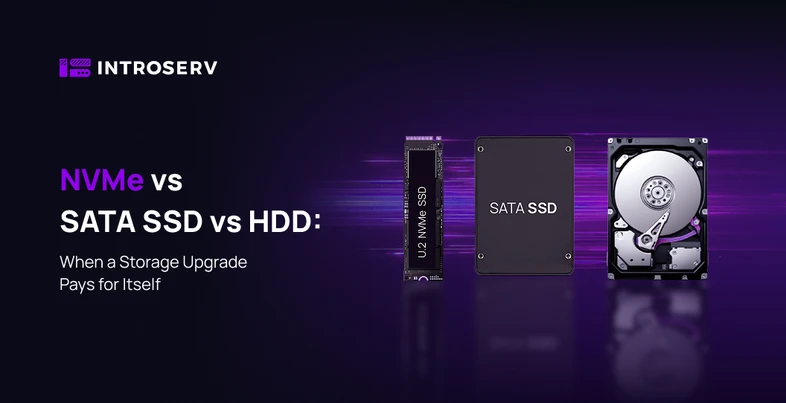
That is why all three technologies still have their place in modern infrastructure. HDD provides inexpensive capacity for backups and archives. SATA SSD is the balanced middle ground for general-purpose servers. NVMe pays off when storage itself is limiting scalability, response times, or workload density on a single machine. This article examines the real differences between them, shows where each option makes financial sense, and explains how to calculate whether an upgrade will pay off.
HDD: Capacity First
A hard disk stores data on rotating magnetic platters, with a mechanical head physically moving to locate the required area. Because of this mechanical design, HDDs are slow at random data access, but their cost per terabyte is low — and that is their main advantage. HDDs remain a sensible choice for backups, archives, large media libraries, camera recordings, disaster recovery copies, and other cold, high-capacity data. For large files that are written or read infrequently, extremely high IOPS provide little benefit.
SATA SSD: The Balanced Option
A SATA SSD uses NAND flash memory instead of rotating platters, eliminating mechanical components, sharply reducing latency, and making random data access much faster. However, data still travels through the SATA interface: SATA III provides a 6 Gbit/s interface bandwidth, with a practical ceiling of around 550 MB/s for sequential reads. For many server workloads, this is already sufficient. SATA SSDs are well suited to general-purpose servers, web applications, CMS platforms, email, boot volumes, moderate databases, and everyday application data, providing a practical balance of price, latency, and performance.
NVMe: Built for High I/O
NVMe is an access protocol designed for SSDs connected through PCI Express rather than SATA. It was built specifically for modern flash memory and can handle many more parallel requests. Depending on the drive model and PCIe generation, it can deliver several gigabytes per second with very high IOPS. This is valuable for transactional databases, dense virtualization, large applications, analytics, CI/CD pipelines, AI data processing, as well as search and indexing. The catch is that this additional performance has financial value only if the application can actually use it.
Here is a short summary before we get to the financial side:
|
HDD |
SATA SSD |
NVMe |
|
|
Storage medium |
Rotating platters |
NAND flash |
NAND flash |
|
Interface |
HDD SATA III / SAS |
SATA III (6 Gbit/s) |
PCI Express |
|
Sequential I/O |
150–250 MB/s |
500–550 MB/s |
3–7 GB/s (PCIe 3.0/4.0) |
|
4K random I/O |
~200 |
~90,000 |
~1,000,000 |
|
Price per TB |
Lowest |
Medium |
Higher than SATA SSD |
|
Best for |
Backups, archives, cold data |
General servers, web, email, moderate databases |
Databases, dense virtualization, analytics, high I/O |
Actual performance depends on the drive model, workload, interface generation, and system configuration.
A more practical question is where each type makes sense:
|
Workload |
HDD |
SATA SSD |
NVMe |
When the Upgrade Pays Off |
|
Backups |
Optimal |
Excessive |
Excessive |
Almost never — HDD is cheaper per TB |
|
Archives, cold data |
Optimal |
Excessive |
Excessive |
Rarely — capacity matters more than speed |
|
Web applications |
Sufficient at low traffic |
Suitable |
For high I/O |
When traffic or latency increases |
|
Mail servers |
Sufficient for small volumes |
Suitable |
Excessive |
When moving from HDD to SATA SSD |
|
Moderately loaded databases |
Limited |
Suitable |
For high I/O |
When queries start waiting on storage |
|
High-load databases (OLTP) |
Not recommended |
Suitable |
Optimal |
With high query concurrency |
|
Virtualization |
Limited |
Suitable |
Optimal for high VM density |
When I/O limits the number of VMs per host |
|
Analytics |
Sufficient for sequential scans |
Suitable |
Optimal for heavy I/O |
When workloads become storage-bound |
HDD vs. SATA SSD vs. NVMe: What Is the Difference?
Actual performance varies significantly by drive model, workload, interface generation, and system configuration.
The more practical question is where each type fits:
|
Workload |
HDD |
SATA SSD |
NVMe |
When an upgrade pays off |
|
Backups |
Excellent |
Usually unnecessary |
Usually unnecessary |
Rarely; HDD is cheaper |
|
Archives, cold data |
Excellent |
Possible |
Usually unnecessary |
Rarely; capacity beats speed |
|
Web applications |
Limited |
Good |
Useful for high I/O |
When traffic or latency grows |
|
Mail servers |
Limited |
Good |
Rarely needed |
On move off HDD, not to NVMe |
|
Moderate databases |
Limited |
Good |
Useful for high I/O |
When queries start queuing |
|
Transactional databases |
Poor fit |
Good |
Strong fit |
Under heavy concurrent load |
|
Virtualization |
Limited |
Good |
Strong fit for high VM density |
When I/O caps VM density |
|
Analytics |
Good for capacity |
Good |
Strong fit for I/O-heavy jobs |
When jobs are I/O-bound |
Why MB/s Does Not Tell the Whole Story
Storage comparisons often focus on maximum MB/s, but sequential read/write speed is only one aspect of performance. A backup writing one large continuous file behaves very differently from a database performing thousands of small random read/write operations. Three metrics matter more than the advertised speed: latency — how quickly storage responds to an individual request; IOPS — how many individual read and write operations it completes per second; and throughput — how much data it transfers over a given period. For databases, virtual machines, ERP systems, and heavily loaded websites, latency and random I/O are often more important than the sequential speed printed on the box. The right choice depends on how the application actually accesses data, not on which drive wins a benchmark.
HDD → SATA SSD: Usually the Most Obvious Upgrade
Moving from HDD to SATA SSD is one of the easiest upgrades to justify when an application relies on frequent random data access. Head-seek and rotational delays disappear, and databases, CMS platforms, ERP systems, virtual machines, and mail servers become noticeably more responsive.
The impact goes beyond the IT department. The figures below are illustrative; actual results depend on your workload, hardware, labor costs, and infrastructure. Imagine an internal application used by 20 people. If storage latency costs each person just five minutes per day, that is around 100 minutes per day in total, adding up to more than 360 person-hours per year over approximately 220 working days. At a labor cost of €20 per hour, that represents more than €7,300 in theoretically lost productivity per year. This is a rough theoretical estimate, not a direct measurement of business losses, because not every minute of waiting translates directly into money. But even partial recovery demonstrates why a small performance improvement can have real financial value. And if CPU and memory are still sufficient, replacing HDDs with SSDs can extend the life of existing servers and postpone a full platform replacement.
SATA SSD → NVMe: A More Complex Decision
Moving from SATA SSD to NVMe requires more analysis. SATA SSD has already eliminated the main problem with HDD — mechanical latency — so for many websites, moderate databases, business applications, and mail servers, storage may no longer be the bottleneck. NVMe will usually win performance benchmarks, but a better benchmark result does not guarantee a faster application.
If the actual limitation is CPU, insufficient memory, network latency, application code, database configuration, or a slow external API, faster storage will provide very little benefit. Therefore, an upgrade from SATA to NVMe should be based on measurements of the actual workload rather than specifications.
When NVMe Starts to Pay Off
NVMe becomes financially attractive when storage itself directly limits how much useful work a server can perform. A transactional database can process more concurrent requests when storage latency decreases. Search systems can index data faster. Analytics jobs finish sooner. CI/CD environments can run more builds, and in AI workloads where storage I/O is on the critical path, faster storage reduces data loading and preparation time, allowing expensive CPU or GPU cycles to be spent on computation rather than waiting for data.
The key benefit is not raw speed but additional workload capacity: how much more work the same server can handle before new hardware is required. If NVMe allows a single machine to process more transactions, host more workloads, serve more users, or postpone the purchase of another server, the upgrade delivers a measurable return.
Virtualization and VM Density
In virtualized environments, storage often reaches its limit before CPU or memory. Dozens of virtual machines simultaneously generate independent read and write operations, and a host may still have free CPU cores and memory while new VMs can no longer be added because storage latency has become unacceptable.
NVMe changes this equation. The figures here are hypothetical examples, not typical benchmarks: actual VM density depends on workload, VM configuration, storage system, and hypervisor. Suppose a host can reliably run 25 active VMs on SATA SSD before I/O becomes a bottleneck, while the same machine can run 40 comparable VMs on NVMe. That is 60% higher useful density. The calculation is:
|
SATA SSD Platform |
NVMe Platform |
|
|
Platform cost |
€8,000 |
€9,000 |
|
VMs before hitting the I/O limit |
25 |
40 |
|
Platform cost per VM |
€320 |
€225 |
|
Lower cost per VM |
€95 |
The more expensive storage results in a lower platform cost per VM. Exact figures will vary by workload, but the principle is important: evaluating storage solely by drive price means overlooking its impact on the total cost of infrastructure.
Server Consolidation
Higher host density can also mean fewer physical servers overall. If storage prevents a server from fully utilizing its CPU and memory, improving storage can consolidate workloads onto fewer machines. Eliminating even one unnecessary server saves more than the server itself costs: software licenses, rack space, power and cooling, network ports, monitoring, backup infrastructure, administration, and hardware maintenance. This is how an expensive NVMe configuration can ultimately deliver a lower total cost of ownership if it prevents or postpones the purchase or rental of additional servers.
When HDD Is Still More Cost-Effective
Faster is not always better. For storing large volumes of data, HDDs often remain the most economical option. A backup repository may hold weeks or months of recovery points that nobody accesses. Video surveillance systems continuously write large sequential files. Archives may sit untouched for years. Putting such data on premium NVMe means paying for performance that is barely used. HDD remains a justified choice when cost per terabyte is the priority, data is accessed infrequently, the workload is predominantly sequential, and access latency does not affect service operation. For cold storage, additional capacity usually provides more value than additional speed.
Where SATA SSD Still Makes Sense
SATA SSD remains a genuinely useful middle ground. For web applications, mail servers, system volumes, general-purpose application data, and moderate databases, it provides sufficiently low latency without paying extra for NVMe. If monitoring shows that disk latency, queue depth, and storage utilization remain comfortably within normal ranges even at peak load, replacing SATA SSD with NVMe is unlikely to deliver anything measurable — the additional IOPS will simply remain unused. SATA SSD is appropriate when an application needs responsive storage but does not generate enough I/O operations to justify the faster tier.
The Hidden Cost of Slow Storage
The cost of storage includes not only the price of the drives but also employee time and infrastructure costs affected by its performance. Slow storage quietly drains money from the entire organization. An employee waiting several minutes a day for a report loses hours over a year. A developer waiting for a build means a slower release. A customer waiting for a checkout page can become a lost sale. Database queries take longer, analytics run more slowly, and virtualization hosts can support fewer VMs. Each issue may seem minor on its own, but at scale the costs accumulate. For customer-facing systems, storage latency can even affect conversion and revenue when slow search, checkout, dashboards, or portals create a poor user experience. This is how cheaper storage can ultimately cost more if it constrains the productivity and capacity of everything around it.
How to Calculate the ROI
Synthetic benchmarks show how much faster a drive is. They do not show what that speed is worth to the business. A second figure is needed.
For a rented server, a storage upgrade is not a one-time purchase but an additional monthly charge. Therefore, a traditional payback period does not apply. Instead, compare two monthly figures:
Net monthly benefit = monthly benefit − monthly upgrade premium
The monthly benefit consists of what the faster drive saves or generates:
-
employee working time that is no longer lost to waiting;
-
infrastructure costs that can be avoided, such as renting a second server when the first one is storage-bound;
-
additional revenue if performance affects conversion or throughput;
-
administrator time spent investigating storage-related incidents.
If the benefit exceeds the upgrade premium, the upgrade pays off from the first month. If it is lower, it will never pay off, regardless of how much time passes.
Three scenarios with the same benchmark result can produce very different answers:
|
Scenario |
Monthly Premium |
Monthly Benefit |
Net Monthly Effect |
|
HDD → SATA SSD |
~€20 |
~€600 (employee and administrator time) |
+€580 |
|
SATA SSD → NVMe, workload is storage-bound |
~€60 |
~€750 (no second server required, fewer incidents) |
+€690 |
|
SATA SSD → NVMe, workload is not storage-bound |
~€80 |
~€30 |
–€50 |
The figures are illustrative. Before ordering, they should be replaced with measurements from your own environment: how long requests wait for storage, how much an hour of downtime or waiting costs, and what server would otherwise need to be added.
In the first two scenarios, the premium pays for itself many times over. In the third, the customer is paying for performance that the workload does not use, resulting in a monthly loss. The drive is identical in the second and third scenarios. What changes the result is not the drive but the workload: in one case it is storage-bound; in the other, it is not.
Why NVMe Does Not Solve Every Performance Problem
NVMe removes a storage bottleneck. It does not remove every bottleneck. A database limited by CPU will remain CPU-limited. A server with insufficient memory may benefit much more from additional RAM. An application limited by network bandwidth will not transfer data faster simply because the drive can deliver several GB/s. And many performance problems live within the application itself: inefficient queries, missing indexes, weak caching, excessive logging, or slow external APIs.
Therefore, before upgrading, look at actual metrics: disk latency, IOPS, queue depth, storage utilization, throughput, I/O wait time, database wait statistics, cache hit rate, CPU utilization, memory pressure, and network performance. Persistent I/O queues, high storage utilization, increasing latency, and significant application-side I/O wait are much stronger reasons to move to NVMe than any specification in a benchmark.
Hybrid Storage: Often the Most Cost-Effective Approach
Most companies do not need to choose a single technology for everything. A tiered architecture is usually more effective: NVMe for databases, indexes, VM disks, caches, and anything latency-sensitive; SATA SSD for application data and moderately active storage; HDD for backups, archives, high-volume, and cold data. This concentrates expensive performance where it actually creates value while keeping low-cost capacity everywhere else. NVMe for every terabyte maximizes performance, but it rarely maximizes ROI.
Cost per TB or Cost per Unit of Useful Work
Storage is usually compared by cost per terabyte. This works for capacity planning, but for production environments the metric is often not the right one. A virtualization platform is better measured by cost per VM. A database by cost per transaction. Depending on what you are running, cost per user, per render, per analytics job, or per build may be more useful. An NVMe system can cost more per terabyte while being cheaper per VM or per transaction because it allows the same server to perform more useful work. The important question, therefore, is not "which drive is cheaper?" but "which storage architecture delivers the lowest cost for the work the business actually needs to perform?"
HDD vs. SATA SSD vs. NVMe: A Practical Selection Guide
Choose HDD when capacity per dollar is the top priority, data is accessed infrequently, and the workload consists primarily of sequential reads and writes. Choose SATA SSD when low latency matters, the storage workload is moderately intensive, and extreme speed or IOPS are not required. Choose NVMe when applications are latency-sensitive, workloads are transactional or highly parallel, or storage is actively limiting scalability, VM density, or capacity. In many environments, the best answer is a combination of all three.
Storage Upgrade Checklist
Before spending money on faster storage, ask yourself:
-
Is storage really the bottleneck?
-
Is the workload primarily random or sequential read/write?
-
What latency does the application require?
-
What are the peak IOPS and queue depth?
-
Can faster storage increase workload density?
-
Can it postpone the purchase of another server?
-
How much does the current bottleneck cost per month?
-
How much does the upgrade cost?
-
What is the expected payback period?
-
Would hybrid storage provide a better ROI?
Conclusion: Upgrade for ROI, Not Benchmark Numbers
There is no universal winner. HDD is strongest when inexpensive capacity is the priority. SATA SSD is a reliable general-purpose tier. NVMe delivers maximum value when low latency, high IOPS, and parallel performance directly affect productivity, scalability, or revenue.
The most important thing is to identify the actual bottleneck before spending more on storage. When faster storage reduces waiting time, increases VM density, accelerates transactions, shortens workloads, or eliminates the need for a new server, it can pay for itself within months. When these benefits are absent, a higher benchmark score simply means paying for performance that nobody uses. The best storage architecture is not necessarily the fastest one. It is the one with the lowest total cost per unit of useful work.
INTROSERV offers servers with different storage options — HDD, SATA SSD, and NVMe, including hybrid configurations. The goal is not to push you toward the fastest tier, but to select storage based on the workload you actually run. If you are not sure where the bottleneck is, our team can help determine whether storage is the limiting factor and choose a configuration suited to your requirements.